
Manage Your Library Account
How to Sign In
- Click the grey button below, or on the Catalog link at the top of any Madison Library District webpage screen.
- At the top of the catalog page, you’ll see a blue bar with the option My Account. Click on that and a popup box will appear.
- Type your library barcode number.
Your library barcode number is located on the back of your Madison Library District card. - Type your PIN.
Your PIN is a 4 digit number. Your pin is usually the last four digits of your phone number. - Press the Enter key.
For assistance with your library account, call 208-356-3461 to talk to a librarian.
Guide to Your Account
The information below will help you to know the most important aspects of your library account.
How to Renew Materials
Avoid accruing late fees by renewing materials to extend the due date.
How to Place a Request for Items
The words requests and holds and reserves are interchangeable. When you place a request, your name is put on a list of people waiting for an item in the Library’s collection. When the item becomes available for you, we notify you by telephone or email to come in and pick up the item.
Where to Pick Up Your Holds
Click here to find out where to get your requested materials.
Check Out Limits
Click here for a chart which lists the most common types of materials, their time limits and amount allowed on an adult resident card.
Fine and Fee Schedule
Fines and fees provide incentives for patrons to return materials and are used to replace lost or damaged items so that they are again available to all patrons.

Account Options
Use the options tabs underneath the blue search bar to find more information about your account.
Personal Information – This area shows your account information. If any of this is wrong or needs to be updated, you may do this at any time at the Reference Desk in the General section of the library. Please call 208-356-3461 for more information.
At the bottom of this area, you’ll see:
- Change PIN – Here you can chose a new PIN number if you’d rather not use the last four digits of your phone number.
- Preferences – This area lets you customize how you’ll view the My Account area.
Checkouts – Here you can see both your digital checkouts and your physical checkouts. Click each option to view all materials checked out on this library card and renew materials.
Holds – Click to view a list of requests or holds you have placed on library materials, both digital and physical. You may also cancel holds on this screen or change the status to suspend holds until a later date. A list of your currently available holds will show here as well.
Fines – Click to see if you have any late fees on your account.
Additional Information – Any alerts or blocks on your account will show here, including messages that your information needs to be updated.
On the top blue bar, the following options are available:
Log In / Log Out – Logs you in and out of your account. Once you’re logged in, you’ll see “Welcome” and your name, and then the Log Out option. Be sure to log out of your account when you’re finished. This is particularly important if you’re viewing your account from a public computer.
My Lists – Click to view any catalog searches you have saved. You may also request saved items from this screen.
Library Information – Clicking this link will display a popup box with the library’s address, phone number, email, and hours.
Select Language – Click this option to have the catalog display in either English, Spanish, or French.
Icon for Accessibility Mode – This will change the screen to one that is easier to read for those who are visually impaired.
Icon for Help – Click here from any screen to have its features described in detail for you.
How to Renew Materials
Avoid accruing late fees by renewing materials to extend the due date.
The renewal period is the same as the original checkout period. (See the section below which explains Check Out Times and Limits.) You may renew your materials several ways.
- In person at the Circulation or Reference Desks. Please bring your library card or a photo ID.
- By telephone at 208-356-3461. Circulation staff will assist you. Have your library card ready.
- 24 hour phone renewal at (208) 356-6658. Have your library card ready.
- Do it yourself online. Access the online catalog in the Library or through the Internet. Use your library barcode and pin number to login to My Account.
Some types of materials may not be renewed:
- Interlibrary Loan items and Book Club books, such as those used for the Great Reads for Girls Book Club or the Books for Boys Book Club. Book Club Kits may be renewed.
- Items with holds that other patrons have requested.
Requesting Items
You may request items in the library catalog, or items from another library.
- The words requests and holds and reserves are interchangeable. When you place a request, your name is put on a list of people waiting for an item in the Library’s collection. When the item becomes available for you, we notify you by telephone or email to pick up the item. Generally, you may place a request on any item that checks out. Reference materials and newspapers do not check out. You can have a maximum of 15 items on hold. There are several ways to request materials:
- In person at the Library. Library Staff will assist you. Please bring your library card.
- By telephone. Call 208-356-3461. Library Staff will assist you. Have your library card ready.
- Do it yourself online. Access the online catalog in the Library or over the Internet. Use your library barcode and pin number to login to My Account.
How to Place a Hold using the Catalog
- Locate the item you want by searching the Library Catalog.
- If the item is not currently available, click the Request Item at the bottom right hand corner of the item record.
- Use your library barcode and pin number to login.
- Your barcode number is on the back of your library card. Your PIN is usually the last four digits of your phone number.
- Click the Request button.
- The next screen tells you whether you will be notified using the email address or phone number provided in your library account.
- Be sure to log out if you are on a public access computer.
Reviewing or Cancelling Requests
To check the status of your requested items or to cancel a request, go to My Account.
Click on the Holds / Holds Requests option. If you want to cancel a request, click in the checkbox to the left of the item you wish to cancel. Click on Cancel Request.
If you are going out of town for an extended period, you can suspend your holds until after you return. Click in the checkbox to the left of the items you wish to suspend. At the bottom of the holds section, change the date to when you want your hold to be active again and click on “Change Status.” The library will not fill your request until after the date you specify.
Hold Expire Dates
Normally, requests remain active for one year. If your item has come in and is waiting for you on the hold shelf, you have 7 days in which to pick it up. Otherwise, the item will go to the next person on the hold list. You may talk to a librarian or call 208-356-3461 to be added back into the queue.
Requesting Items Not in the Library Catalog
If you’d like an item that we don’t currently own, you may request it using our Materials Purchase Suggestion and Inter-Library Loan Form. The form will ask for your contact information and your Library Card barcode. You may indicate whether you’d like the library to purchase the item, or whether you’d like it borrowed from another library (Inter-Library Loan). Accepted suggestions may take up to 3 months to be fulfilled.
Due to budget constraints, requests are only accepted from patrons who pay taxes within our library district. If you live outside our boundaries you’ll have to contact your home library for requests. Not sure if you’re in our district? Ask a librarian and we can help!
The library reserves the right to accept or deny any requests. We typically won’t purchase or ILL textbooks or other academic materials, or materials that are out of print. Requests are limited to 3 requests per person per quarter.
Where to Pick Up Your Holds
How will I know if my item is ready for pickup?
Patrons will receive either a phone call, an email, or a text message when their item is ready for pickup. You choose your notification method when setting up your account.
How long do I have to pick up my item?
After seven days, unclaimed items will go on to the next person on the waiting list.
Where do I pick up my requests?
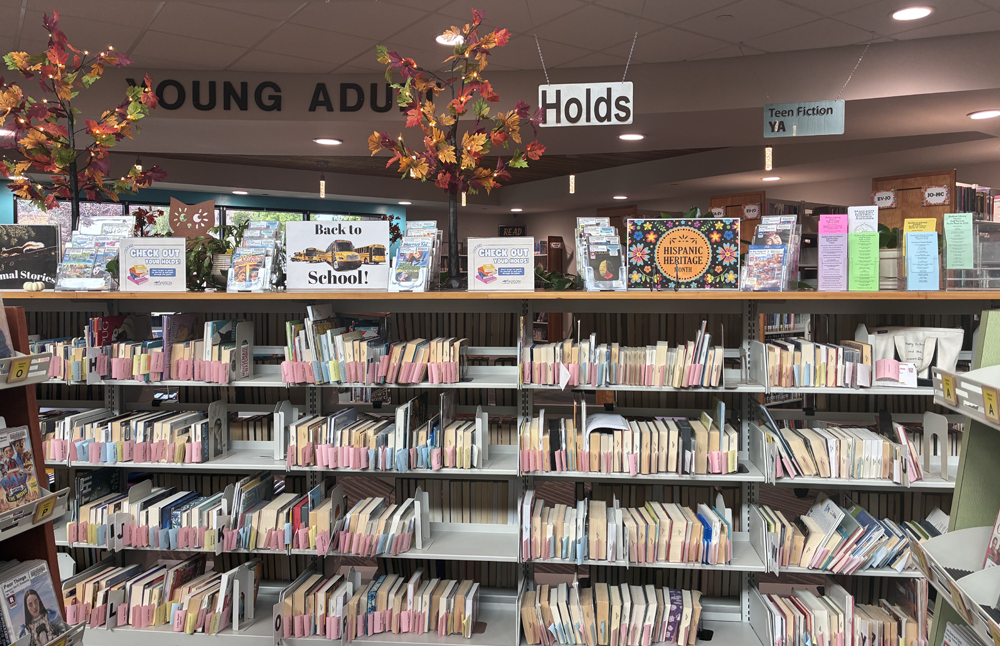
All requested items, except Inter-Library Loan requests, are available in a self-service location for customers. The Holds Self is located directly in front of the Young Adult section, behind the DVDs, across from the Circulation Desk. Look for the “Holds” sign.
Items are arranged alphabetically by the customer’s last name. Items must be checked out before they can leave the building.
Check Out Times and Limits
This chart lists the most common types of materials, their time limits and amount allowed on an adult resident card. It does not include all information.
|
Check-out Limits for Residents and Non-Residents (persons out of district) who've paid their yearly library card fee:
- Adult Cards are limited to 50 items, 12 of which can be DVDs and/or Blu-rays.
- Children's Cards (for those under 18) are limited to 12 items. Children's cards may not checkout DVDs, Blu-rays, or any Kits.
- Access to request materials and use the Interlibrary Loan system.
Check-out Limits for Temporary In-District Residents:
- Cards are limited to 25 items,12 of which can be DVDs and/or Blu-rays.
- Access to request materials and use the Interlibrary Loan system.
- Children's Cards (for those under 18) are limited to 12 items. Children's cards may not checkout DVDs, Blu-rays, or any Kits.
Check-out Limits for LCEI Patrons (persons who pay library taxes to a library that belongs to the Library Consortium of Eastern Idaho):
- Cards are limited to 12 items.
- LCEI Patrons must use their home libraries to request items or use the Interlibrary Loan system. The Madison Library District is not able to provide these services.
Fine and Fee Schedule
Fines and fees provide incentives for patrons to return materials and are used to replace lost or damaged items so that they are again available to all patrons.
Late fees:
Late Fees will be charged only for days that the Library is open. A late fee of 20¢ (cents) per item per day will be assessed for past-due materials that check out for 3 weeks. A late fee of $1.00 per item per day will be assessed for past-due materials that check out for 1 week and interlibrary loans. The maximum late fee is $5.00 per item. Unpaid late fees amounting to $5.00 and above will block all borrowing privileges until the account is settled.
3 week materials (Checkout Period is three weeks) = $.20 / day
Books, CDs, Books on CD, Magazines
1 week materials (Checkout Period is one week) = $1.00 / day
DVDs, Blu-Rays, Discovery Kits, American Girl Kits, ALS Kits
Speedy Reader Kits, Adult Exploration Kits, Read-Along Kits (3 week checkout) = $1.00 / day
Book Club Kits (6 week checkout) = $1.00 / day
Interlibrary Loan Items (checkout length varies) = $1.00 / day
Replacement Fees:
Lost or Damaged Items = Price listed in item record.
Lost or Damaged Interlibrary Loan Items = Price / Fees are at the discretion of lending library
Due Date Notification Schedule
1st Notice – at time of checkout
2nd Notice – automated phone call
3rd Notice – letter emailed or snail mailed
Patron May Be Sent to Collections – if balance is over $25.00 and more than 60 days overdue
Miscellaneous Fees/Charges
Copy Machine / Computer Copies – $.10 per page
Damaged Barcode – $1.00
Damaged Book Jacket – $3.00
DVD / Blu-ray Case – $ 3.00
Audio Book Case – $ 10.00
Missing / Damaged RFID Tag – $ 1.00
Missing / Damaged Pieces from Kits – Cost of Item
Replacement Library Card (lost or stolen) – $ 2.00 (plus tax)
Non-resident Library Card:
$80.00 (includes tax)/year
$44.00 (includes tax)/six months
$24.00 (includes tax)/three months
Regular Hours of Operation
- Monday: 9:00 am – 6:00 pm
- Tuesday - Wednesday: 9:00 am – 8:00 pm
- Thursday: 11:00 am - 8:00 pm
- Friday: 10:00 am - 6:00 pm
- Saturday: 10:00 am - 2:00 pm
- Sunday: CLOSED
Closures in 2026
- January 1 – New Year’s Day
- January 19 – Martin Luther King, Jr., Day
- February 16 – Presidents Day
- April 3 – Staff Development Day
- April 4 – Building Maintenance
- May 23-25 – Memorial Day
- June 19 – Juneteenth
- July 3-4 – Independence Day
- August 7-September 7 – Shelving Upgrade
- September 5-7 – Labor Day
- October 3 – Building Maintenance
- November 11 – Veterans Day
- November 25 – Closing at 5:00 pm
- November 26-28 – Thanksgiving
- December 24-26 – Christmas
- December 31 – New Year’s Eve
- January 1-2, 2027 – New Year’s
Address
73 North Center
Rexburg, Idaho 83440
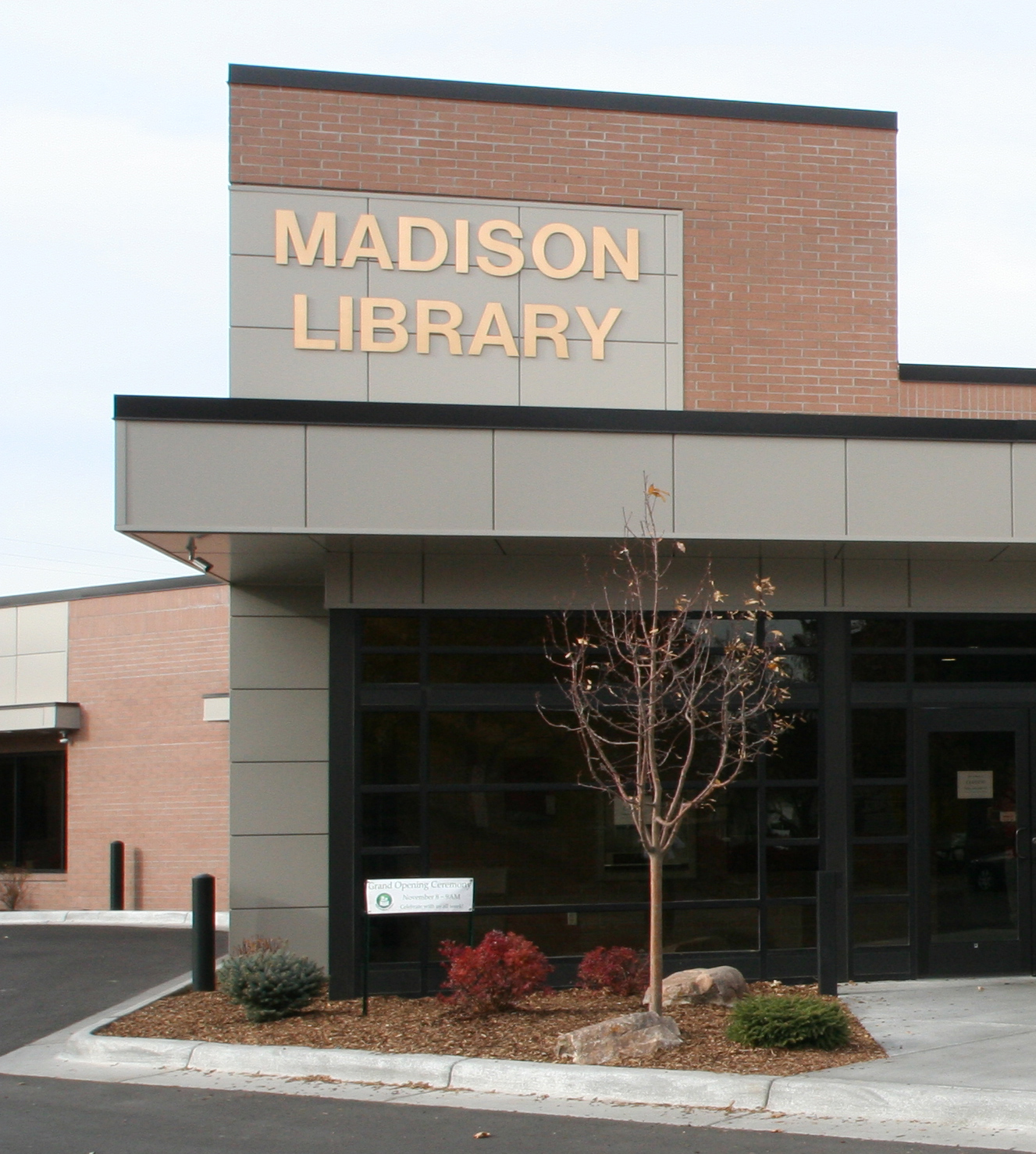
We are located on Center Street, just north of Main Street, by the Historic Rexburg Tabernacle.
Contact Us
(208) 356-3461
24 Hour Phone Renewal: (208) 356-6658
askmadisonlibrary@madisonlib.org
Madison Library District
 73 North Center
Rexburg, ID 83440
A public library.